
Usage History and Profile
Applicable role: Sub-user Last updated: 2026-07-09
"Usage Records" and "Profile" are the last two pages accessible to sub-users. This article explains how to view your call history and manage your personal account information.
1. Usage Records
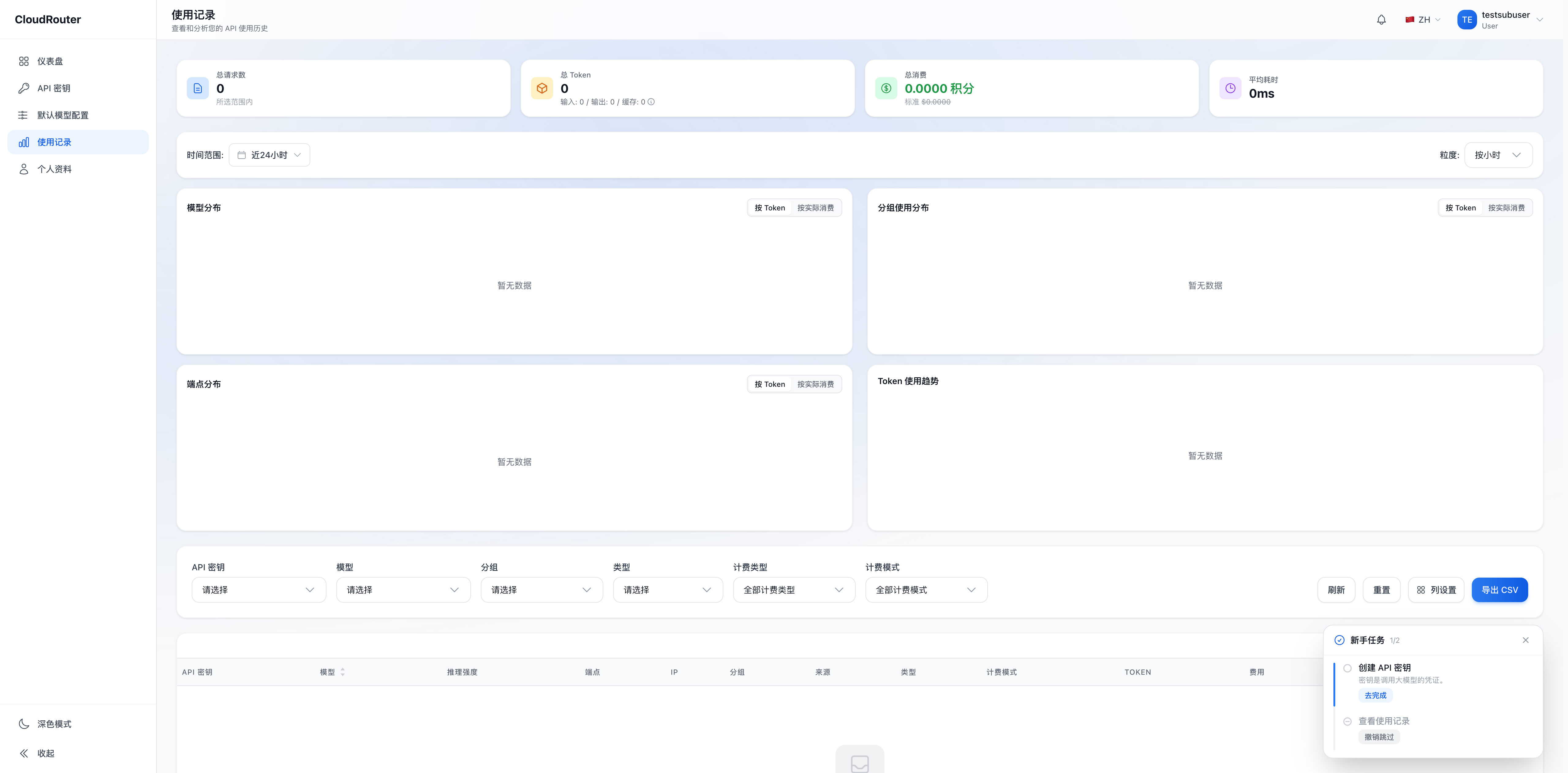
The Usage Records page (/usage) displays your API call history, helping you understand your own usage.
Main Content
- Call Details -- Displays information such as the time, model, and cost of each call
- Time Filtering -- You can filter by time range to view call records for a specific period
Notes
- Usage Records only show your own call data; you cannot see data from other sub-users in the same organization
- Data is read-only and for viewing only; modification and deletion are not supported
- Cost amounts are measured in credits
Usage Records page:
2. Profile
The Profile page (/profile) is used to view and manage your account information.
Viewable Information
- Username
- Organization
- Email (if any)
- Other account information set by the organization administrator
Available Actions
- Change Password -- Enter your current password and a new password to complete the change
Information such as your username and organization is set by the organization administrator when the account is created, and cannot be modified by sub-users themselves. To change this information, please contact your organization administrator.
3. FAQ
Q: Is the data in Usage Records real-time? A: Records generated by calls will appear in Usage Records within a short time. The actual delay is subject to what is displayed in the console.
Q: Can I export Usage Records? A: This depends on the actual features available in the console. If the page provides an export button, you can use it directly.
Q: Can I see the usage records of other sub-users? A: No. Sub-users can only see their own call data. Organization-level aggregated data is viewed by the organization administrator on their management page.
Q: What should I do if I forget my password? A: Click "Forgot Password" on the login page to start the reset process. If you cannot reset it yourself, please contact your organization administrator for assistance. For details, see Activation and Login.
Q: Can I change my username or email? A: Sub-users cannot change their username or email themselves; this information is managed by the organization administrator. To make changes, please contact your administrator.