
Account System Overview
Applicable roles: Organization (top-level user), Sub-user Last updated: 2026-07-14
Accounts in the new console are divided into two roles: Organization and Sub-user. After reading this, you'll know which role you are, what you can do, and how money and permissions flow.
1. The Two Roles
| Role | One-line description | Can log in to console | Can call models |
|---|---|---|---|
| Organization (top-level user) | Enterprise account that holds the balance pool and creates and manages the organization's sub-users | Yes | Yes |
| Sub-user | A caller under the organization that uses a Key to call models | Yes (only 5 menu items) | Yes |
The relationship in one sentence: The organization manages people and money, sub-users hold Keys to call models, and consumption is deducted from the organization's balance.
Platform operations (model listings, pricing, organization provisioning, etc.) are handled centrally by the official platform, and users don't need to worry about them.
2. What an Organization Can Do
An organization is an enterprise account. After logging in to the console, it acts as the administrator:
- Holds the organization balance pool, from which all sub-users' consumption is deducted
- Creates / edits / disables the organization's sub-users, and sets their business identity (username, delivery email)
- Sets quota limits for sub-users (capping their consumption)
- Creates API Keys and configures access permissions as needed
- Views the models and calling methods available to the organization in the "Calling Guide"
- Views organization-level and sub-user-level usage and bills, and requests invoices
- Tops up online and uses redemption codes
An organization is both a "manager" and a "caller": it can manage sub-users and set quotas, as well as create its own Keys to call models.
3. What a Sub-user Can Do
A sub-user is a caller under an organization. After logging in, it has only 5 menu items:
| Menu | Purpose |
|---|---|
| Dashboard | View quota and recent usage (read-only) |
| API Keys | Create and manage its own Keys |
| Default Model Configuration | Set a default routing group for each model |
| Usage Records | View its own call details |
| Profile | Change password, etc. |
Sub-users can create Keys on their own (limited to the groups authorized by the organization). See the Sub-user Handbook for details.
If a sub-user manually types a URL to access an unauthorized page, they will be automatically redirected back to the dashboard.
4. The Relationship Between Balance and Quota
- Organization balance pool: Funds are deposited at the organization level and are the only source of money
- Sub-user quota limit: The "consumption cap" the organization sets for each sub-user — a quota, not money
- When a sub-user makes calls, the deduction actually comes from the organization balance; the quota limit only determines the maximum it can spend
- If a sub-user has multiple Keys, those Keys share the same quota limit
For a full explanation of funds and quotas, see Balance Management and Quota Allocation. For pricing and billing, see Pricing.
5. Menu Visibility
| Feature Entry | Organization | Sub-user |
|---|---|---|
| Dashboard | Yes | Yes |
| API Keys | Yes | Yes (own only) |
| Default Model Configuration | Yes | Yes |
| Sub-user Management | Yes | -- |
| Usage Records | Yes | Yes (own only) |
| Channel Status | Yes | -- |
| My Subscriptions | Yes | -- |
| Balance Management | Yes | -- |
| Redemption | Yes | -- |
| Profile | Yes | Yes |
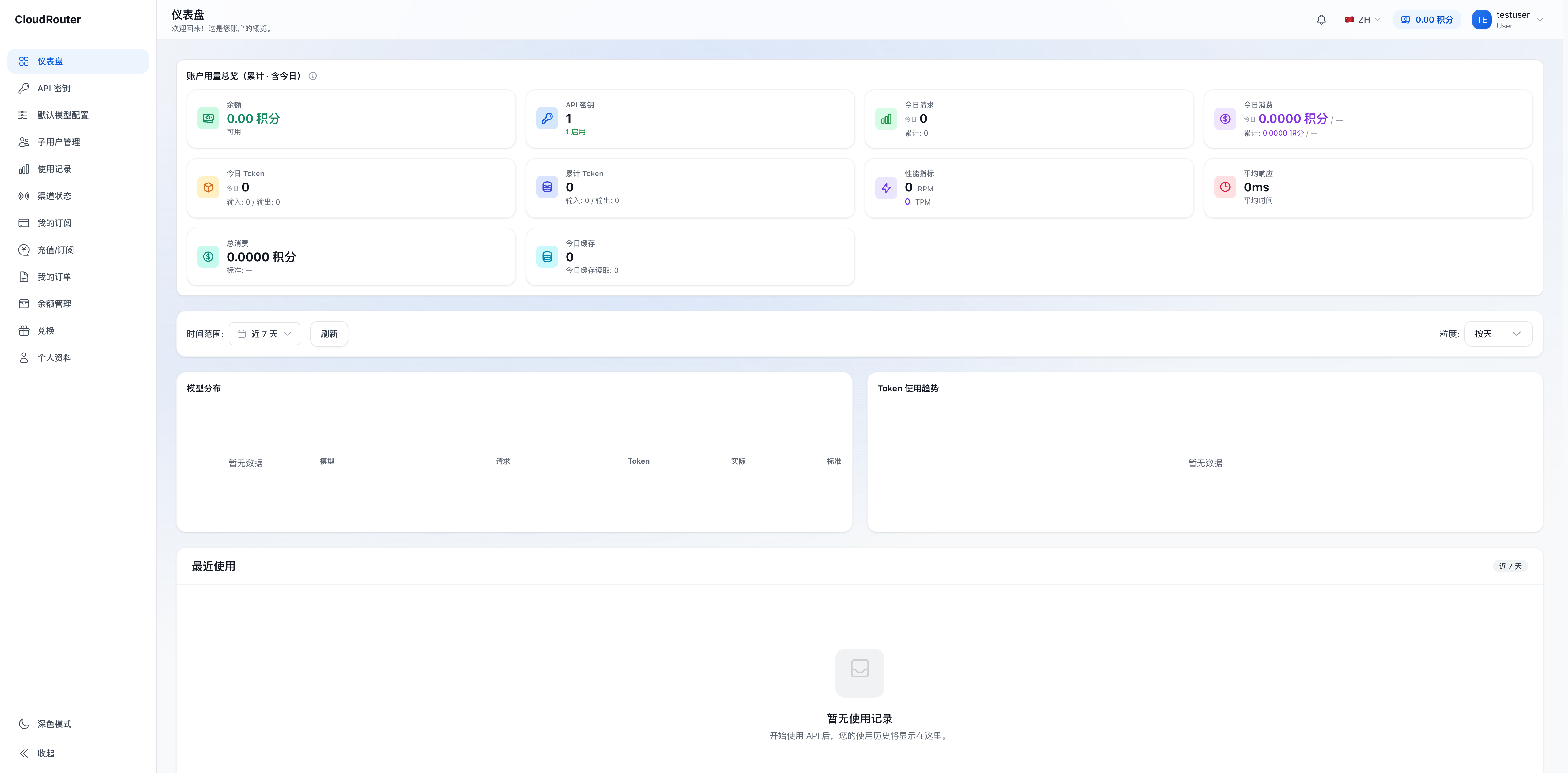
The sidebar menu an organization sees after logging in:
6. This Is a "Semantic Upgrade," Not a Rebuild
The new account system is a semantic redefinition built on top of the existing structure:
- The old "tenant/user" accounts are upgraded to "organizations," with accounts and balances kept intact
- API Keys created by old accounts are redefined as "sub-users"
- You don't need to re-register or migrate your balance
For the full transition explanation, see Migration and Transition Notes.
7. FAQ
Q: Am I an "organization" or a "sub-user"? How do I tell? A: If you can see the "Sub-user Management" and "Balance Management" menus, you're an organization (top-level user); if you have only 5 menus after logging in, you're a sub-user.
Q: Is an organization the same thing as the old "tenant"? A: Yes. The new version renames "tenant" uniformly to "organization," with capabilities and balance smoothly inherited. See Migration and Transition Notes for details.
Q: Whose money is deducted for a sub-user's consumption? A: It's deducted from the balance pool of the organization it belongs to. A sub-user's "quota limit" is only a consumption cap, not a separate wallet.
Q: Can I change the organization-level concurrency and available model range myself? A: No. These two are configured centrally by the official platform. To adjust them, please contact the platform. See Concurrency Settings and Region and Model Range.