
Invocation Guide
Applicable role: Sub-user Updated: 2026-07-14
This document explains how to view available models and obtain the invocation name.
For complete API integration methods (request format, SDK, error codes, etc.), see the Developer Guide.
1. Obtaining the Model Invocation Name
When making a call, you need to fill in the model name in the model field. There are three ways to obtain it:
| Method | Description | Login Required |
|---|---|---|
| Model Plaza | The public page on the platform's official website, displaying all models and prices under public groups | No |
/v1/models API |
Query the list of currently callable models via an API Key | Key required |
| Invocation Guide page | Displays available models by group, with invocation names available to copy | Login required |
In most scenarios, you can simply obtain the model name from the Model Plaza or the /v1/models endpoint.
2. Calling by Model Name (Basic Routing)
When calling by model name (such as gpt-4o or claude-sonnet-4-6), the system resolves the route according to the following priority:
- The routing group bound to your Key
- Your default routing configuration
- Your organization's default routing configuration
- The platform's default routing
The call proceeds through the first group that matches. If none match, the call is rejected.
Default Routing Configuration
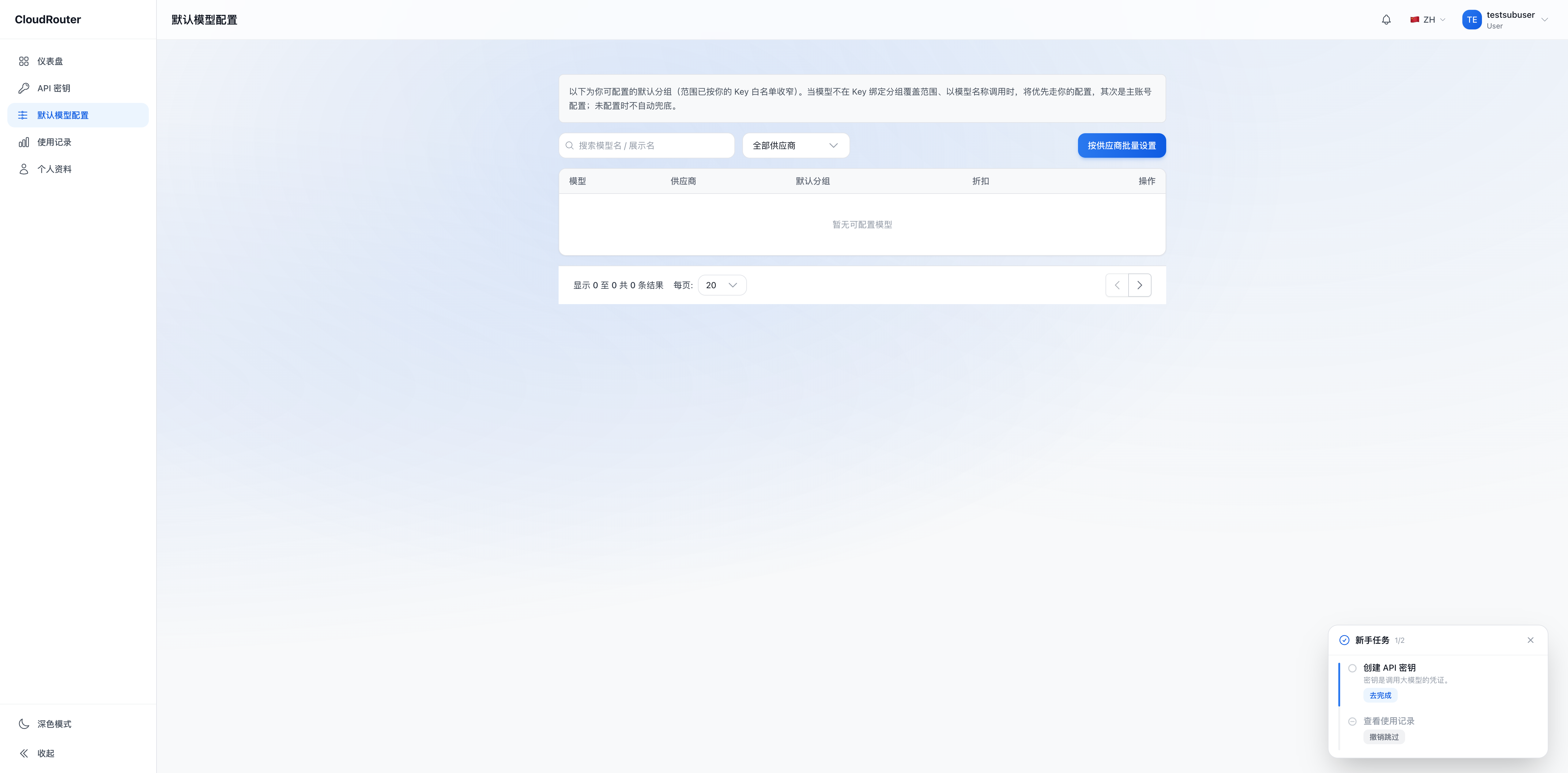
You can specify a default group for each model name, so that calls can succeed even when the Key is not bound to a group. The configuration entry is in the console.
Default model configuration page:
When the selected channel is unavailable, the platform returns an error directly and does not automatically switch to another channel.
3. Calling by Group Identifier (Advanced, Requires Enablement)
Group identifier routing is an advanced capability that can only be used after it is enabled by both the platform and your organization. Once enabled, the Invocation Guide page additionally displays invocation names prefixed with a group identifier, which you can copy and use directly. When not enabled, calls prefixed with a group identifier are rejected by the platform.
Two Types of Invocation Names
| Form | Example | Routing Behavior |
|---|---|---|
| Model name | gpt-4o |
Resolved by basic routing (Key binding → default routing chain) |
| With group identifier | 5MHXZWKA/gpt-4o |
Fixed routing to the group corresponding to the group identifier |
The group identifier is a short character identifier (such as 5MHXZWKA) automatically assigned by the platform to each routing group. You don't need to memorize it—just copy it from the Invocation Guide page.
When group identifier routing is not enabled, the Invocation Guide page does not display group identifier invocation names, and calls prefixed with a group identifier are rejected. In this case, simply call by model name.
4. How to Use
Code example (using Python):
# 使用模型名称调用(基础路由)
response = client.chat.completions.create(
    model="gpt-4o",
    messages=[{"role": "user", "content": "你好"}]
)

# 使用带分组标识调用(分组标识路由开启后可用)
response = client.chat.completions.create(
    model="5MHXZWKA/gpt-4o",
    messages=[{"role": "user", "content": "你好"}]
)
The above is only an example of the invocation name portion. For complete integration steps (installing the SDK, configuring the Base URL, setting the API Key, etc.), see the Developer Guide.
5. FAQ
Q: There is no copy button with a group identifier on the Invocation Guide page? A: This means group identifier routing is not enabled, and you can currently only call by model name. If you need to call by group identifier, please contact your organization administrator to enable it.
Q: Which is better, calling by model name or by group identifier? A: In most cases, calling by model name is sufficient—simple and direct. Only when you need to temporarily target a specific group do you need to use the invocation name with a group identifier (group identifier routing must be enabled first).
Q: What happens if the model field is filled in incorrectly?
A: If you enter a nonexistent model name or a model name you don't have access to, the call is rejected. It is recommended to obtain the accurate model name from the Model Plaza or the /v1/models endpoint.
Q: Can I make calls if my Key is not bound to a routing group? A: If you or your organization have configured default routing, calls can succeed normally. If the default routing does not cover the model either, the call is rejected—in which case you need to bind a group to the Key or configure default routing.
Q: Does calling by group identifier mean I can call any group? A: No. Calling by group identifier is still constrained by your available scope; you can only call groups that your organization has authorized for you.